

Table of contents
The Weekly Tasks You're Doing Manually That Could Run on Autopilot
You arrive Monday morning with good intentions. Clear the inbox. Update the bulletin. Send roster reminders. Check facility bookings. By Wednesday, you're still catching up on tasks that should have taken an hour.
The problem isn't your work ethic. It's that you're manually executing processes that could run themselves while you focus on the work that actually requires a human being.
The 30 Minutes Every Monday You'll Never Get Back

Most church administrators spend the first chunk of Monday morning doing the same sequence of tasks. Open the spreadsheet. Check who's rostered. Send reminder emails. Update the bulletin template. Post to the Facebook group. Print copies for the noticeboard.
None of this requires decision-making. You're not evaluating anything. You're copying information from one place to another, over and over, because that's how it's always been done.
The real cost isn't just the time. It's what you're not doing while you're stuck in this loop. Following up with that family who visited last week. Planning the Easter outreach. Having an actual conversation with a volunteer who's burning out.
Your Weekly Service Bulletin That Writes Itself
Your bulletin contains the same structure every week. Service times don't change. The liturgical calendar is set. Announcements come from the same three sources. Yet you're rebuilding it manually every single week.
Template population from your church management system
If your roster, events, and announcements live in a church management system, that data can flow directly into your bulletin template. No copying. No pasting. No reformatting because someone used a different font size.
The system pulls the current week's roster, grabs upcoming events from your calendar, and populates the template you've designed. You review it, make any human adjustments, and approve. What took 30 minutes now takes five.
Automated image sourcing for liturgical seasons
Your bulletin header changes with the liturgical season. Advent looks different to Ordinary Time. Instead of searching for images every few weeks, your template can automatically switch based on the date. Purple for Lent. White for Easter. Green for the rest.
This sounds trivial until you realise you've spent 15 minutes looking for "the right Pentecost image" three years running.
Distribution scheduling across print and digital channels
Once your bulletin is approved, it needs to go to the printer, get uploaded to your website, emailed to your list, and posted to social media. Each step is another manual task.
Automation handles the distribution. The PDF goes to the printer automatically. The web version publishes at a set time. The email sends Thursday evening. The social post goes live Friday morning. You set it once. It runs every week.
Churchvolunteering helps churches implement these kinds of workflows so administrative staff can focus on people instead of paperwork.
Volunteer Roster Reminders That Send Themselves

You know what happens when you forget to send roster reminders. Sunday morning arrives and someone's missing. They genuinely forgot. They would have shown up if they'd received a reminder on Thursday.
This is entirely preventable, but only if the reminder actually gets sent. When it depends on you remembering to do it manually, it's a single point of failure.
Smart scheduling that accounts for school holidays and blackout dates
Your volunteers aren't available every week. School holidays mean families are away. Some people have blackout dates for work travel. Others can't do first Sundays because of family commitments.
A smart rostering system knows this. It won't schedule someone during their blackout period. It flags potential conflicts before they become problems. It suggests alternative volunteers when someone's unavailable.
You're not manually cross-referencing spreadsheets against a calendar. The system does it.
Escalating reminder sequences when slots remain unfilled
Sometimes a volunteer cancels late. Sometimes a slot was never filled. Either way, you need a backup, and you need one quickly.
An escalating reminder sequence handles this automatically. If a slot is unfilled 10 days out, it sends a general call to the volunteer pool. If it's still empty five days out, it escalates to your backup list. If it's still unfilled two days out, it notifies you directly so you can intervene.
You're only involved when human judgement is actually required.
Facility Booking Approvals Running on Autopilot
Facility bookings are straightforward until they're not. A small group wants the side room on Tuesday night. Approved. A wedding wants the main sanctuary on a Saturday. Needs checking. An external organisation wants to run a conference across multiple spaces. Requires senior approval.
The decision tree is clear. The problem is that you're the one manually working through it every single time.
Conditional approval workflows based on room type and event size
Different bookings need different levels of approval. A regular small group booking the same room they use every week doesn't need the senior pastor to sign off. A large external event using the main sanctuary absolutely does.
A conditional workflow routes requests based on predefined rules. Small internal bookings auto-approve. Medium-sized events go to the facilities coordinator. Large or external bookings escalate to senior leadership. Everyone gets notified. Nothing falls through the cracks.
Automated conflict checking against church calendar
The worst facility booking mistake is double-booking a space. The second worst is approving something that clashes with a major church event.
Automated conflict checking prevents both. Before a booking is approved, the system checks the church calendar. If there's a clash, it flags it immediately. If the space is already booked, it suggests alternatives. If it's Easter weekend, it blocks external bookings entirely.
You're not manually checking three different calendars. The system does it in real-time.
Attendance Tracking That Happens Without You
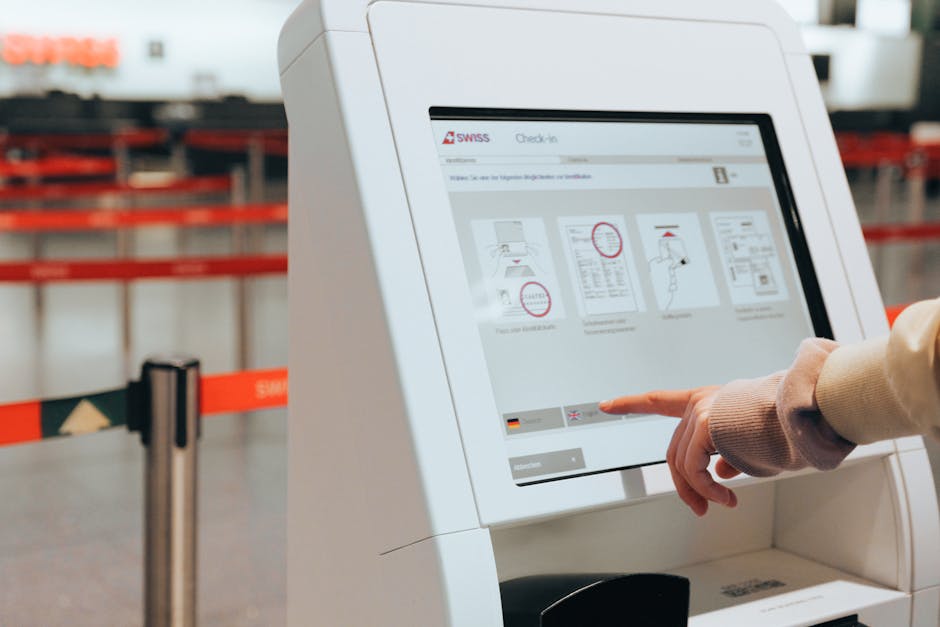
Attendance data matters. It tells you if your midweek service is growing. It flags when a regular attender hasn't been seen in a month. It helps you plan seating, catering, and resource allocation.
But if tracking attendance requires someone standing at the door with a clipboard, it's not going to happen consistently.
Check-in kiosks syncing to your database in real-time
A check-in kiosk at the entrance lets people tap in as they arrive. It's faster than a sign-in sheet. It's more accurate than a manual headcount. And it syncs directly to your database, so the data is available immediately.
You're not entering names into a spreadsheet on Monday morning. The system captured everything as it happened.
Automated trend reports flagging attendance patterns
Raw attendance data is useful. Trend analysis is powerful. An automated report can flag when someone who usually attends weekly hasn't checked in for three weeks. It can show you that your evening service is growing while your morning service is static. It can identify which events drive the highest attendance.
This kind of insight requires consistent data and regular analysis. Automation makes both possible without adding to your workload.
Donation Receipts Generated While You Sleep
Donation receipts are legally required and administratively tedious. Every donation needs a receipt. Year-end tax statements need to go out on time. Regular donors appreciate quarterly summaries.
None of this requires your personal attention. It just requires a system that runs reliably.
Year-end tax statements auto-generated from giving platform
If your giving platform tracks donations properly, it already has all the data needed for year-end tax statements. The system can generate them automatically, email them to donors, and log that they've been sent.
You're not manually creating PDFs in January. The system handled it overnight.
Quarterly giving summaries sent to regular donors
Regular donors appreciate knowing where they stand. A quarterly summary shows their total giving, confirms their details are correct, and reminds them of any tax benefits.
An automated system sends these summaries at the end of each quarter. Personalised. Accurate. Consistent. You're not involved unless someone has a question.
Churchvolunteering specialises in helping churches implement giving and donor management systems that handle these processes automatically, freeing up staff for pastoral care rather than paperwork.
The One Task You Shouldn't Automate (And Why)
Not everything should run on autopilot. Pastoral care, for instance, absolutely should not be automated.
When someone emails about a personal crisis, they need a human response. When a volunteer is struggling, they need a real conversation. When a family is grieving, they need presence, not a templated message.
Automation is powerful for routine tasks that require no human judgment. It fails spectacularly when empathy, discernment, or relational nuance is required.
The goal isn't to remove humans from church administration. It's to remove humans from tasks that don't need them, so they're available for the work that does.
Your First 15 Minutes of Freedom

Start with one process. Pick the task you do every single week that requires no real decision-making. The roster reminder. The bulletin distribution. The attendance report.
Map out exactly what you do manually. Write down every step. Then ask: which of these steps could run automatically if the right system was in place?
You don't need to automate everything at once. You need to prove to yourself that automation actually works. Once you've reclaimed 15 minutes a week, you'll start seeing other opportunities.
If you're ready to implement these kinds of systems in your church, Churchvolunteering can help you identify the highest-impact automation opportunities and get them running properly. Get in touch for a consultation.

Written by
Tom Galland
Building tools to help churches spend less time on admin and more time on what matters.
Ready to simplify your volunteer rostering?
Set up your church in 10 minutes. Add your volunteers. Build your first roster. Free, no credit card required.


